- Published on
Why databases make terrible task managers
- Authors

- Name
- Will
- @productive_will
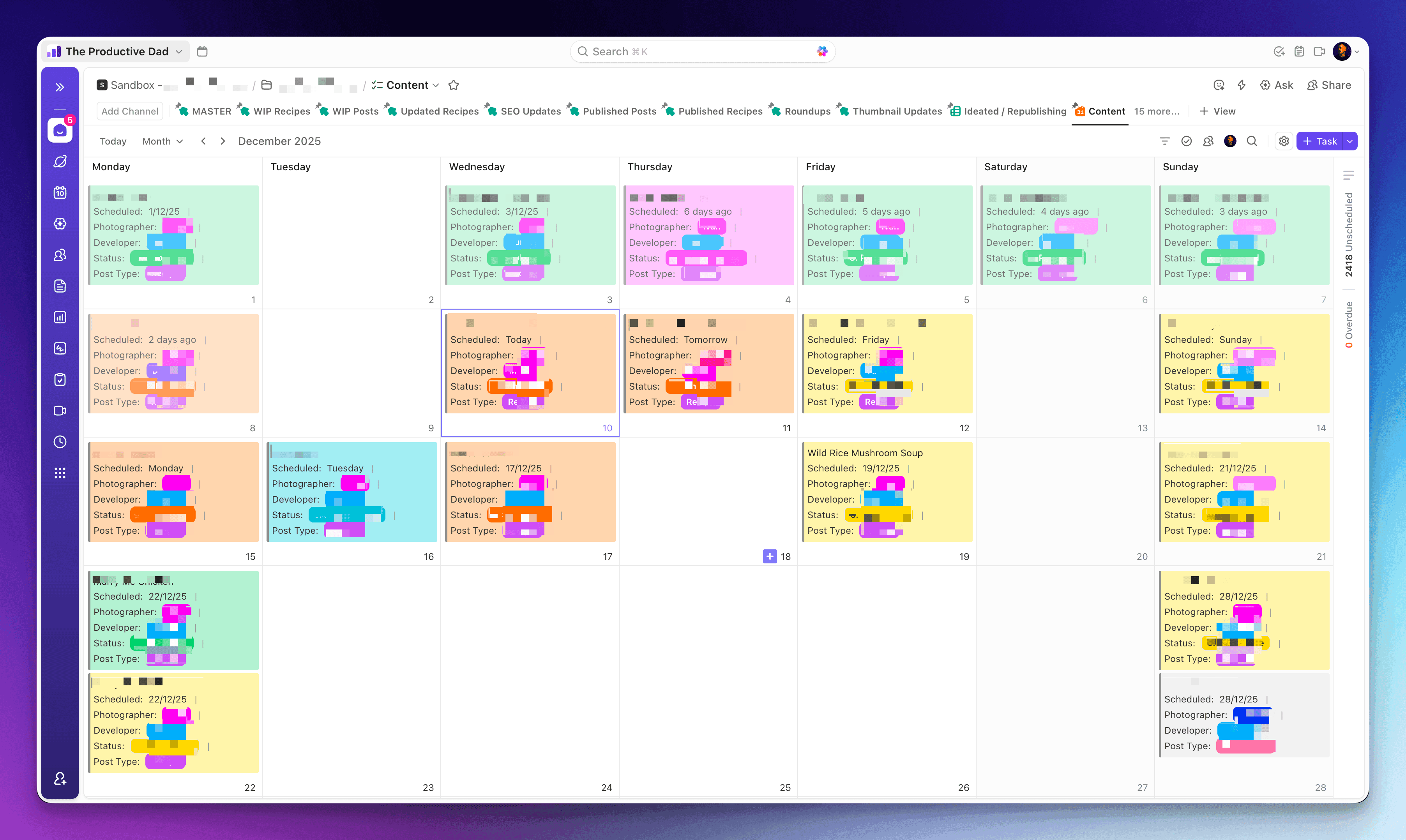
Just wrapped up two days migrating 3,390 tasks from Airtable into ClickUp for a client who runs a recipe website.
4 lists. 34 views. 160 linked tasks. A lot of clicking.
If you’ve ever tried managing daily work in Airtable or Excel (shudders in corporate), you know the pain. You’re using a database as a to-do list. It’s like using a filing cabinet to run a meeting.
Here’s what I learned, and what it means for your setup.
The Problem with Databases as Task Managers
Airtable is brilliant for storing data. Recipes, client info, inventory, whatever. But when you’re trying to run daily operations, delegate work, and actually manage projects? You’re forcing it to do a job it wasn’t built for.
The signs you’ve outgrown your database:
- Your team spends more time filtering views than doing work
- Delegating a task requires explaining which table, which view, which filter
- New team members need a 2-hour training just to find their tasks
- You’ve got 47 views and nobody knows which one to use
Sound familiar?
What the Migration Taught Me
The actual data migration was straightforward. Export CSV, clean it up, import into ClickUp. Done in about half an hour.
The tedious bit was setting up those 34 views manually in ClickUp. No automation for that. Just me, a diet coke (I’ve stopped drinking energy drinks), and a lot of clicking.
But here’s what made it worth it:
The team can now delegate tasks properly. Someone assigns you something, it shows up in your Home view. No hunting through tables. No “which view am I supposed to be looking at again?”
Now they can expand beyond just website and content management. The workspace can grow with them without turning into a spreadsheet nightmare.
Everyone sees exactly what they need to do that day. The Home view in ClickUp does the filtering for you.
When to Stick with a Database (and When to Run)
Don’t get me wrong. Airtable and Notion databases have their place.
Use a database when:
- You’re storing reference data that doesn’t change daily
- You need complex relationships between different types of data
- You’re building a CRM or inventory system (I actually have my CRM in ClickUp)
Switch to a proper task manager when:
- Your team’s daily work lives in it
- You’re assigning and tracking tasks
- You need notifications and reminders that actually work
- Onboarding a new VA takes more than half an hour
My rule: if your new VA couldn’t figure out what to do today after a 30-minute handover, your system is too complicated.
The 30-Minute Test for Your Workspace
Try this. Grab someone who’s never seen your workspace before (partner, friend, random person on the street, whatever). Give them 30 minutes to figure out:
- Where their tasks are
- What they should do today
- How to mark something complete
- How to ask a question about a task
If they can’t do it, your system is too clever for its own good.
Databases make you think like a database. Task managers make you think like a human trying to get shit done.
What This Means for You
You don’t need to migrate everything tomorrow. But if you’re forcing a database to manage your daily work, you’re making life harder than it needs to be.
Start small. Move one project. See how it feels. If your team breathes a sigh of relief, that’s your answer.
And if you’re sitting there thinking “yeah but our setup is different, we need the database”... maybe. Or maybe you’ve just gotten really good at working around a tool that’s fighting you every day.
Need Help Sorting Your Workspace?
If you’re stuck with a database that’s pretending to be a project manager (or a ClickUp workspace that’s somehow worse), I do consulting. We’ll figure out what you actually need, not what some YouTube tutorial told you to build.